
Table of Contents
Unv2oofem convertor
The unv2oofem convertor translates SRDC's I-DEAS (Integrated Design and Engineering Analysis Software) unv-mesh file format to native OOFEM input file. Unv file-type is an open ASCII datafile, which is used by several finite element codes. The CAD/mesh generating open-source software SALOME is intended to create such unv files. Unv2oofem convertor handles
- mesh geometry
- material assignment
- assignment of boundary conditions and conditions in nodes
How to obtain the unv2oofem
The unv2oofem is a part of the git OOFEM distribution, which is also downloadable from oofem.git/tools/unv2oofem directory. The unv2oofem converter consists from five files:
- unv2oofem.py - python script reading unv input files and creating OOFEM input file
- oofemctrlreader.py - general manipulation classes related to OOFEM data format.
- unv2x.py - the base class written by J.Cugnoni. This file creates an internal FEM object structure in memory.
- FEM.py - classes defining basic entities in FEM
- abaqus2x.py - Python module used to parse an Abaqus .inp file
How to use the unv2oofem
The unv2oofem operates on two files
- unv file - defines topology (elements, nodes, edges, faces). Each entity transporting to OOFEM must be included in a group, which is also defined with unv file. For example in Salome can be the groups easily defined by clicking to the icon “create group” in the menu bar.
- control file - describes mapping of unv groups to OOFEM entities. These include material description, loads, supports, type of problem (solid mechanics, transports), solver parameters, outputs etc. The mapping relies on an element ID in unv-file, which shows the following table. Each ID can be mapped to corresponding OOFEM olement, e.g. ID 11 can represent Truss1D or Beam3D OOFEM elements.
| Element type | Unv number | OOFEM's finite elements (not all are mapped in the convertor) |
|---|---|---|
| Truss, beam, edge: 2 nodes, linear | 11 | Truss1D, Truss2D, Truss3D, Beam2D, Beam3D |
| Truss, beam, edge: 3 nodes, quadratic | 22 | Interface2DQuad |
| Triangle: 3 nodes, linear | 41 | TrPlaneStress2D, TrPlaneStrRot, TrplaneStrain, CCTPlate, CCTPlate3d, RerShell, Tr_shell01, Axisymm3D, Interface3DTrlin, Tr1HT, TrAxisym1HT, Tr1CBS, Tr1SUPG, Tr1SUPGAxi |
| Triangle: 6 nodes, quadratic | 42 | QTrPlStr, Tr21SUPG |
| Quad: 4 nodes, linear | 44 | Planestress2D, Quad1PlaneStrain, L4axisymm, Quad1HT, Quad1HMT, QuadAxisym1HT |
| Quad: 8 nodes, quadratic | 45 | QPlanestress2D, Q4Axisymm |
| Tetrahedron: 4 nodes, linear | 111 | LTRSpace, Tetrah1ht, PY1 3D SUPG |
| Brick: 8 node, linear | 115 | LSpace, LSpaceBB, Brick1HT, Brick1MT,Brick1HMT |
| Brick: 20 nodes, quadratic | 116 | QSpace, QBrick1ht, QBrick1hmt |
| Tetrahedron: 10 nodes, quadratic | 118 |
Minimal working example
The minimal working example simulates a plane-stress problem. The geometry is meshed using linear quadrilateral finite elements. Two materials are included, one edge is supported and the opposite edge is loaded by tractions.

Creating unv file in Salome
This section demonstrates how to create the mesh in Salome and how to build the necessary groups:
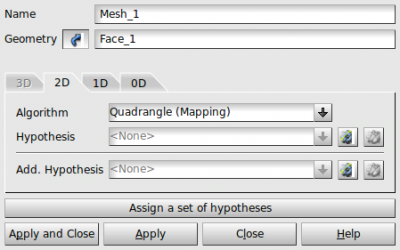
- The geometry is created in the Geometry module as a rectangle. Then go to Mesh module and hit Mesh→Create mesh. In the dialog, select the rectangle as a Geometry, assign 1D algorithm (Wire discretization) and 1D hypothesis (Maximal size), assign 2D algorithm (Quadrangle mapping). Select Mesh_1 in the left panel and by right-clicking invoke Compute.
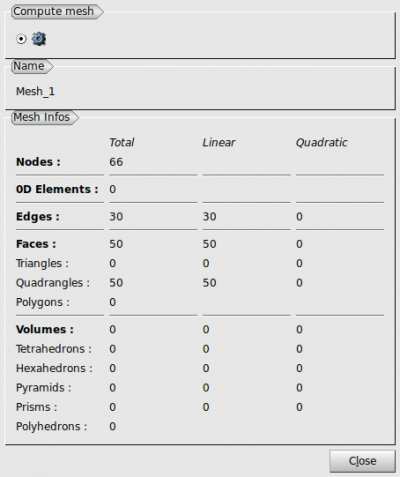
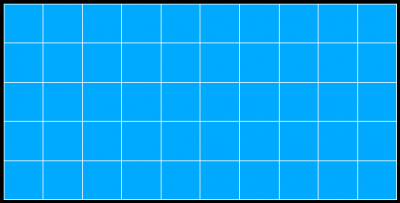
- At this moment, finite elements are created. The resulting mesh is shown on the screen with the mesh info label.
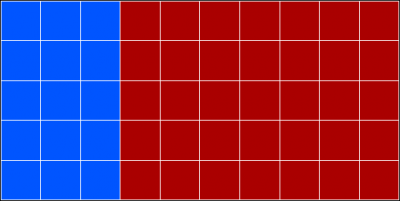
- Click Mesh→Create group, choose face and select finite elements of the first material group with the help of Shift key. Two groups material_1 and material_2 of finite elements are created, on which material properties will be mapped.
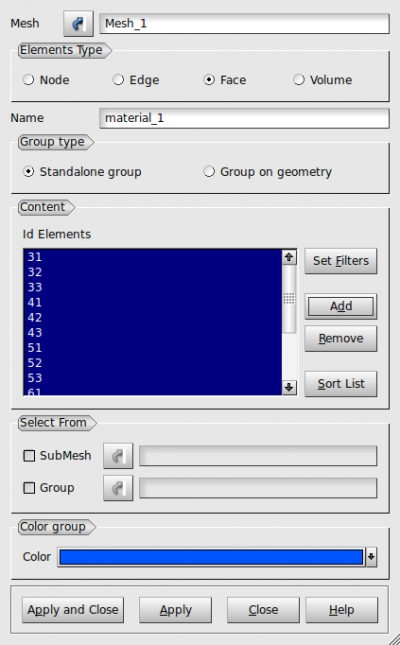
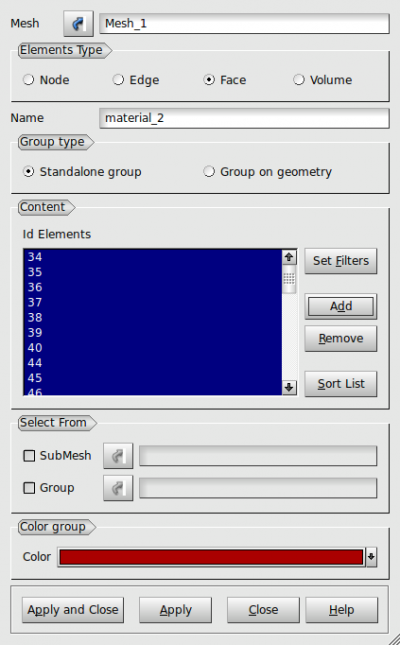
Both materials can be colored.
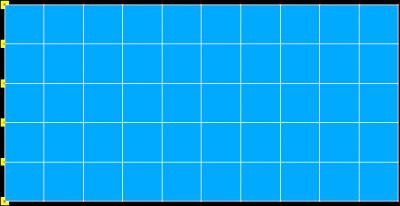
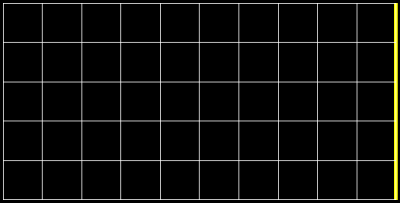
- Define groups for supports and loads in the same way, by selecting appropriate edges and nodes. Create two groups support_nodes and load_edge.
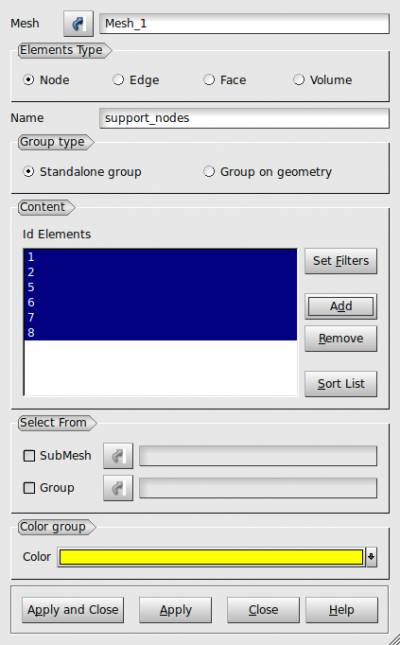
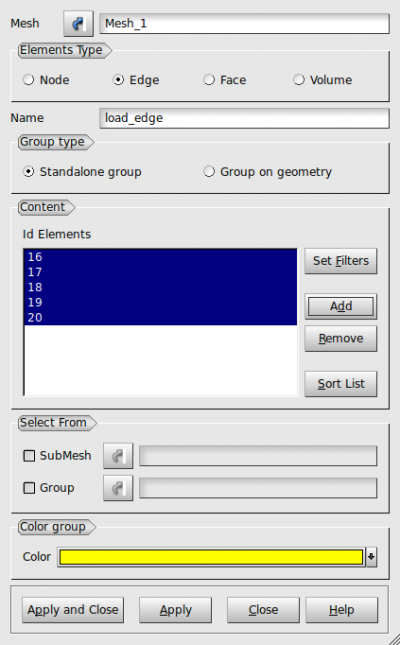
- The unv file is exported using File/Export while the mesh is selected. The Salome native file hdf, unv output file and control file is downloadable as a zip file.


Creating control file
We need to define information about materials, tractions and boundary conditions. The control file exam.ctrl looks like
exam.out
This example shows how to convert unv file to OOFEM input file.
linearstatic nsteps 1 nmodules 1
vtkxml tstep_all domain_all primvars 1 1 vars 2 4 1 stype 1
domain 2dplanestress
OutputManager tstep_all dofman_all element_all
ncrosssect 1 nmat 2 nbc 2 nic 0 nltf 1
SimpleCS 1 thick 1.0 width 1.0
isole 1 d 0.0 e 15.0 n 0.25 tAlpha 0.0
isole 2 d 0.0 e 20.0 n 0.25 tAlpha 0.0
BoundaryCondition 1 loadTimeFunction 1 prescribedvalue 0.0
ConstantEdgeLoad 2 loadTimeFunction 1 Components 2 10.0 0.0 loadType 3 ndofs 2
ConstantFunction 1 f(t) 1.0
#Comment may be inserted anywhere
#Data for extractor, if necessary
#%BEGIN_CHECK% tolerance 1.e-8
## check reactions
#REACTION tStep 1 number 1 dof 1
#NODE tStep 1 number 5 dof 1 unknown d
#%END_CHECK%

group load_edge
elemprop bLoadNum 2
etype[11]

group support_nodes
nodeprop bc 2 1 1

group material_1
elemprop mat 1 crosssect 1
etype[44] PlaneStress2d

group material_2
elemprop mat 2 crosssect 1
etype[44] PlaneStress2d
Extension for sets
Boundary conditions and material assignments can be handled via sets. Salome needs to define groups on which those sets will operate. The control file exam-sets.ctrl looks like
exam-sets.out
This example shows how to convert unv file to OOFEM input file. It will use sets.
linearstatic nsteps 1 nmodules 1
vtkxml tstep_all domain_all primvars 1 1 vars 2 4 1 stype 1
domain 2dplanestress
OutputManager tstep_all dofman_all element_all
ncrosssect 2 nmat 2 nbc 2 nic 0 nltf 1 nset 4
SimpleCS 1 thick 1.0 width 1.0 material 1 set 1
SimpleCS 2 thick 1.0 width 1.0 material 2 set 2
isole 1 d 0.0 e 15.0 n 0.25 tAlpha 0.0
isole 2 d 0.0 e 20.0 n 0.25 tAlpha 0.0
BoundaryCondition 1 loadTimeFunction 1 dofs 2 1 2 values 2 0.0 0.0 set 3
ConstantEdgeLoad 2 loadTimeFunction 1 dofs 2 1 2 components 2 10.0 0.0 loadType 3 set 4
ConstantFunction 1 f(t) 1.0
set 1 elements
set 2 elements
set 3 nodes
set 4 elementedges
#Comment may be inserted anywhere
#Data for extractor, if necessary
#%BEGIN_CHECK% tolerance 1.e-8
## check reactions
#REACTION tStep 1 number 1 dof 1
#NODE tStep 1 number 5 dof 1 unknown d
#%END_CHECK%

group load_edge
elemprop set 4
etype[11]

group support_nodes
nodeprop set 3

group material_1
elemprop set 1
etype[44] PlaneStress2d

group material_2
elemprop set 2
etype[44] PlaneStress2d
Extension for hanging nodes
Hanging nodes are nodes located on finite elements. They do not add degrees of freedom but use element interpolation functions instead. For example, reinforcement can be attached to concrete elements using hanging nodes. Any group of nodes in Salome represent hanging nodes when its name starts with “OOFEM-Hanging”. OOFEM will automatically find finite elements overlapping with those hanging nodes. This is facilitated through SpatialLocalizerInterface in particular implementation in OOFEM's elements. One way in Salome is creating two independent meshes for concrete and reinforcement. A compound mesh can join both meshes - just be careful not to tick “Merge coincident nodes and elements”. Continue with export to unv and process with unv2oofem.py. Reinforcement is normally represented by OOFEM's truss elements. Reinforcement nodes need to be grouped in “OOFEM-Hanging*” group at the end of ctrl file, e.g.
group OOFEM-Hanging-nodes
nodeprop dofType 3 2 2 2
Run the unv2oofem
The unv2oofem convertor creates the OOFEM input file exam.in executing a python command:
$ unv2oofem.py exam.unv exam.ctrl exam.in
All the files can be downloaded as a ZIP file.